A creator's backroom on RateMyFeet is private, and access to it is sold by the month. The path from her cover to it has a few steps that are not obvious the first time, mostly because the money does not go through RateMyFeet at all. This guide walks all of them. And if what you want is something made for you alone, you need no subscription at all: that is custom content, and How to order custom content walks it.
Ask for access
On a creator's cover, tap Request access and confirm. Nothing is charged, and she has seven days to answer.
Wait for her answer
If she says yes, you get an email with your reference, the amount and your deadline to pay.
Pay her directly
Open your instructions page, pick one of her payment links, and write your RMF reference on the transfer.
Declare your payment
Come back to the instructions page and say you paid. She is told straight away.
Enter the backroom
Once she confirms she received the money, your access opens and you get an email with your real dates.
The cover, and the price

Every backroom has a public page called its cover. It carries a visual, a promise in the creator's own words, a few moods, and one monthly price. It is safe for work, because search engines read it, and it never describes what is inside. If she sells custom content, her offers sit there too, and once you are signed in you see them all.
That price buys one month. Nothing renews itself, no payment method is stored, and no card is ever charged: every month is asked for and paid by hand. If you do nothing, your access ends and that is the end of it.
Ask for access
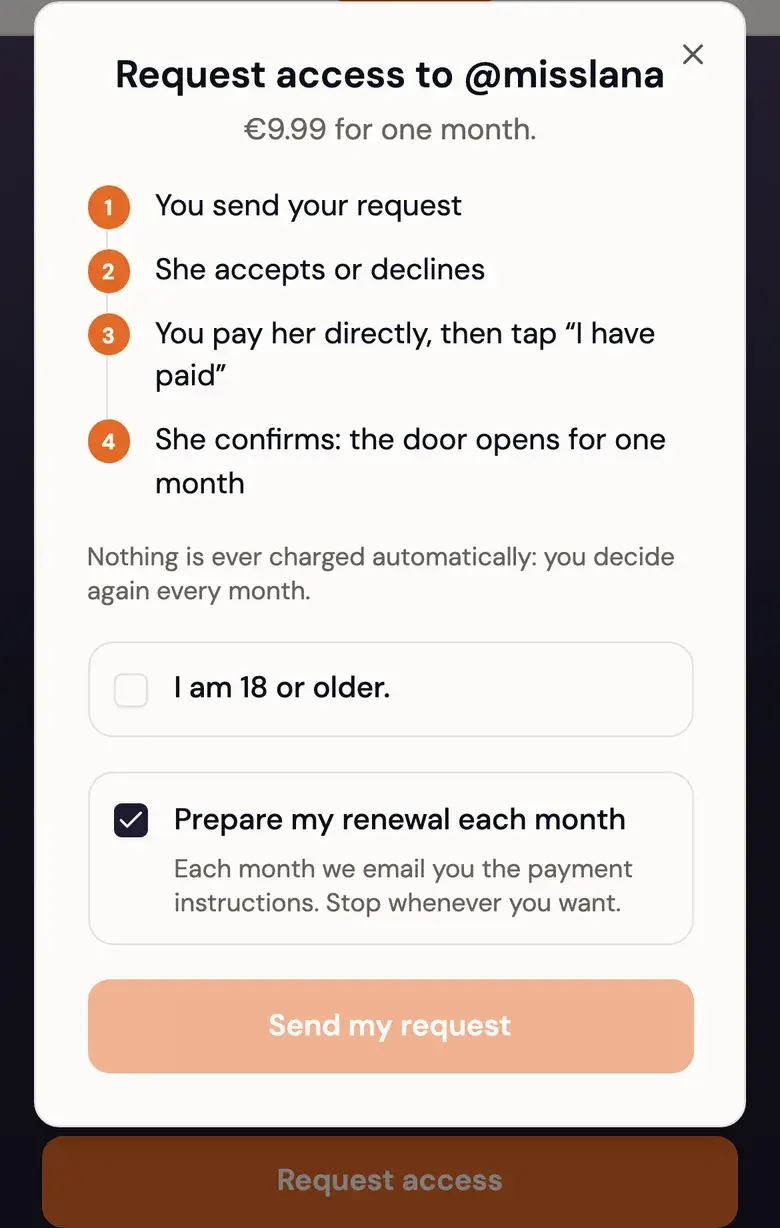
The button under her cover opens a short screen showing what you are committing to: her price in her currency, the four steps ahead, and a confirmation that you are 18 or over.
There is also a checkbox, "Prepare my renewal each month", ticked by default. It is worth understanding, because it sounds like something it is not.
It does not charge you and it cannot: it only means that three days before your month ends, the request for the next one is created for you and the instructions are sent.
You still choose whether to pay. You can untick it then, or later, from your subscriptions page.
Once you confirm, she sees your username, your public avatar and how long your account has existed. That is how she decides.
She has seven days to answer. If she does not, the request expires on its own and you are told. Nothing was charged, because nothing ever is at this stage.
She says yes
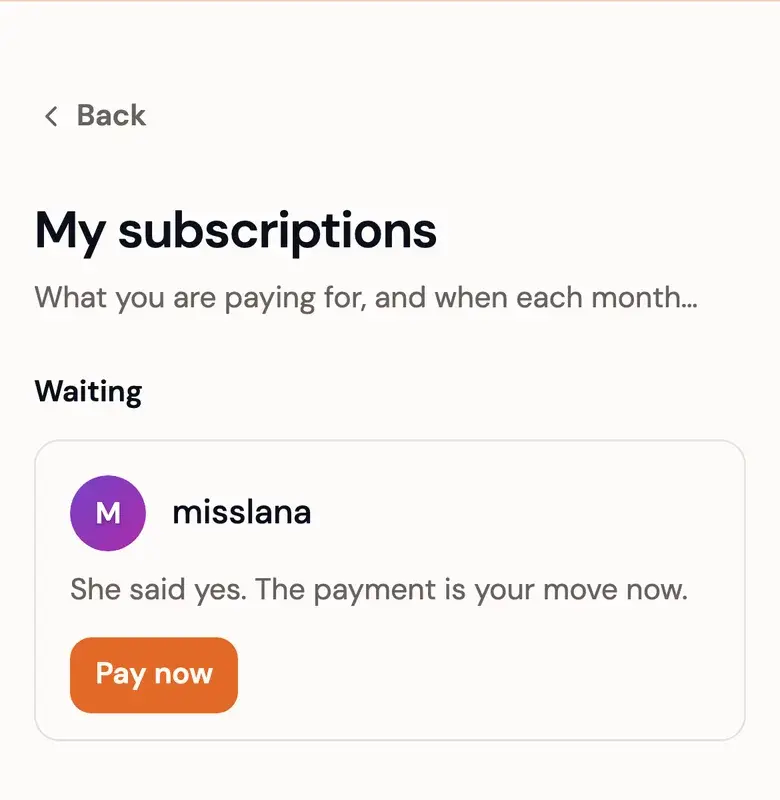
You get an email, and your cover button changes. The email carries three things:
- Your reference.
RMF-followed by four characters, minted for this request. - The amount, exactly as it was when you asked. If she raises her price tomorrow, it does not catch your request.
- Your deadline. Seven days to pay and say so.
The email points at your instructions page, which is the page that runs the rest.
If she says no, no reason is sent, and you cannot ask her again for thirty days.
Pay her directly
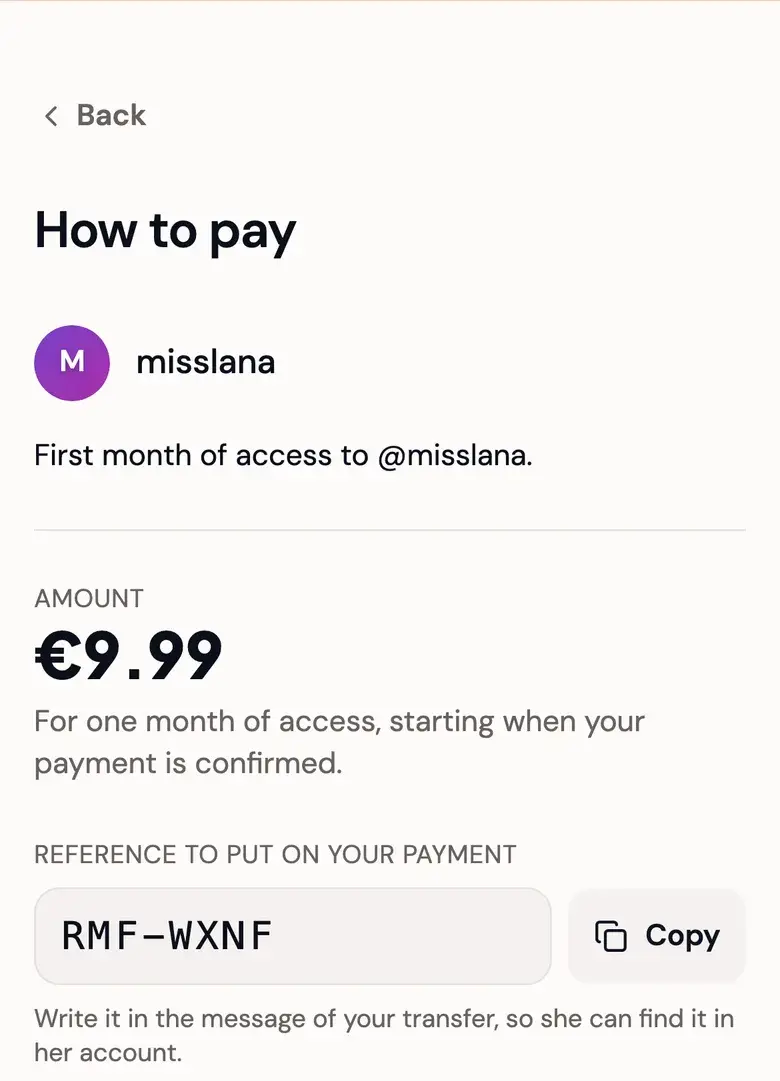
This is the part people are not expecting, so it is worth saying plainly: RateMyFeet never holds the money. You pay the creator, on a service she chose, and the platform is not in the middle of it. That is why there is no card form anywhere.
Your instructions page lists her payment links, with a short line for each service saying what to watch for on that one. Pick whichever you already use.
Write your reference in the payment message. It is how she matches your transfer to your request and to the right month. She may be answering several people the same day, and the reference is what keeps them apart.
Declare your payment
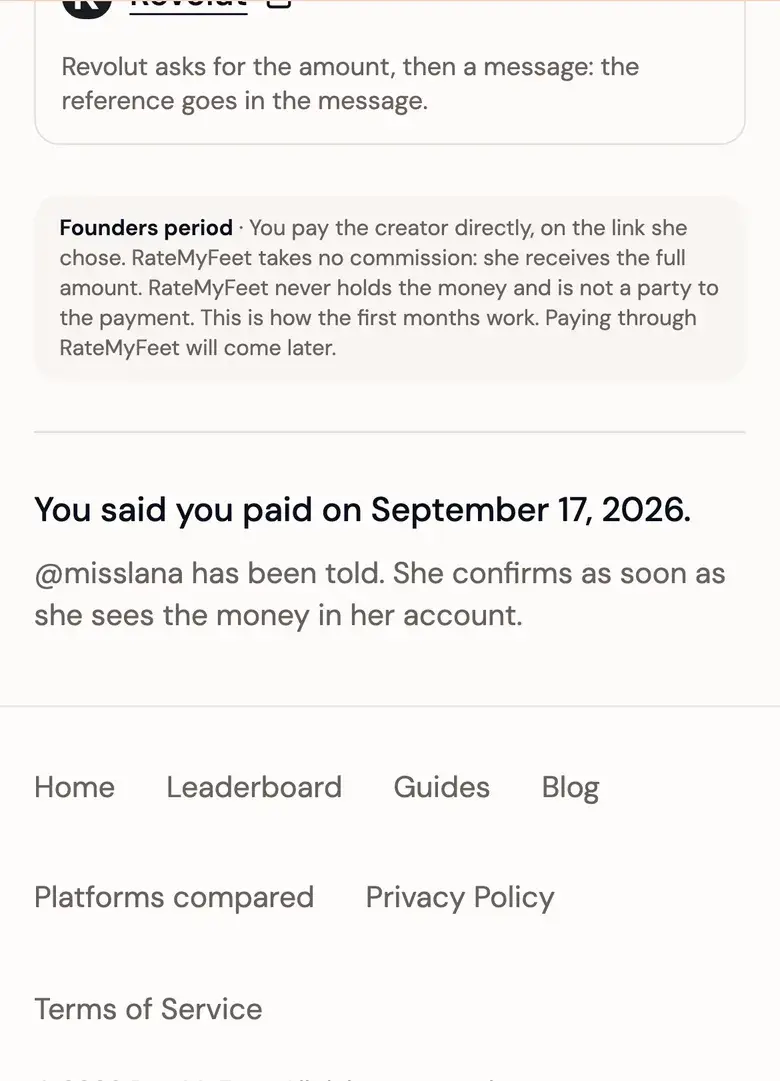
Once you have sent the money, go back to your instructions page and tap "I have paid". Declaring means one thing: you are saying you paid. It is your word, timestamped, and it is written into the history of the request where nobody can rewrite it.
Declaring does two useful things. It tells her to go and look, and it starts a clock: a declared payment that goes a week without an answer is handed to RateMyFeet to decide. She is nudged on the third day and warned on the sixth.
When her silence is what sent it to us, we open your access on the strength of your declaration, unless the proof says otherwise.
A declared payment never expires. Money may have moved, so only a real decision closes it, hers or ours.
If she answers "Nothing received", your request comes back to you with a fresh deadline to pay, and you are told. If she answers it a second time on the same payment, the case goes to RateMyFeet. What we can and cannot do with it is in Direct payment, explained.
Your access opens
When she confirms, your access opens in the same moment and you get an email with your real dates. There is no state where she has been paid and the door has not opened.
The instructions page deliberately does not predict a date before that, because the answer depends on when she confirms and there is no honest way to guess it.
Your month, and its grace
Day 1
She confirms, your month starts
3 days before the end
Your renewal is prepared, if you left it on
End date
Your month is over
3 days later
The grace ends, and so does the access
After your month ends, the door still opens for three more days. That is the grace, and it exists so a renewal in flight never meets a locked door. If you cancel, you give up the grace.
Renewing
A renewal is next month, asked for while the current one still runs. You can ask for it up to a month before your access ends. It needs no new yes from her, because she said yes to you once: it only waits for your payment, and it has to be paid before your three days of grace are over.
It is priced from your current access rather than from her cover. That is what holds your price across a chain of unbroken months, even if she raises hers. Break the chain, by cancelling or by letting the grace pass, and the next one starts at her current price.
A renewal also survives a closed door. Closing refuses new people, never the ones already inside.
Paying early costs you nothing. If your access still opens the door when she confirms, grace included, the new month is added to your old end date rather than starting from her confirmation.
Cancelling
Everything you are paying for lives on your subscriptions page: requests in flight and whose turn it is, months running with their end date and their price, then the months that have ended.
Cancelling stops the chain. Your access holds until the end of the month you paid for, without the three days of grace, and no further month is prepared. Two details are worth knowing before you tap it:
- It removes renewals you have not paid, and keeps a renewal you have already declared. A transfer already sent is not lost by your own click, and she can still confirm it.
- During the grace, it closes the door immediately.
Discretion
Nobody else on RateMyFeet can see whom you subscribe to. There is no public list, no follower-style count, nothing on your profile. A subscription is known to three parties only: you, the creator, and RateMyFeet's operator when a case has to be settled. The same goes for the custom content you order.
Inside a backroom, the other subscribers see you under an alias. Something like "Subscriber 4821", drawn for that backroom alone and completely unrelated to your alias in any other. It is not derived from your name or your id.
The creator sees your username. She has to: she is the one matching a payment to a person. With it she sees your public avatar, how old your account is, and the reference and amount of your request. She does not see your other subscriptions.
Hearts, comments and stories. A heart you give is counted, and nobody, the creator included, is told it was yours. A comment you write is shown to the others under your alias and to her under your username, she can delete it, and it stays where it is after your month ends. When you view a story, she is told how many people saw it, never who.
What is inside a backroom appears in no ranking, no feed and no search engine. And what you see there stays there: you may not copy, record or redistribute it.
If something goes wrong
- She never answers your request. It expires after seven days and you are told. Nothing was charged.
- She never answers your declared payment. After a week it goes to RateMyFeet, and both of you are told.
- She closes her door while you are inside. Your month runs to its end, and your renewal still goes through.
- She steps away from Pro status. You get an email, renewals stop, and the month you paid for runs to its end.
- She pauses her account. Her backroom stays readable to you until your month ends.
- RateMyFeet suspends her backroom. Every access ends at once, the door closes and the cover goes down, and lifting the suspension brings none of it back. RateMyFeet refunds nothing, because it never held your money: a refund is settled between you and her, under the rules of the payment service you used.
- You delete your account. You lose the access you paid for, and nothing is refunded. While one of your declared payments is still unsettled, deleting waits, thirty-seven days at most.
The rules behind all of that are in the terms, and the money side is in Direct payment, explained. If you are reading this from the other side of the door, the creator's path is in How to open your backroom.
Start with the ranking
Rating, following and the ranking are free. Her backroom is one tap behind her profile.