Pro status is what lets you sell on RateMyFeet: a month of your backroom, and custom content made for one fan. Your public profile does not change: it keeps bringing people in, and your backroom sits one tap behind it. This guide walks the whole path, from the request to your first subscriber. Custom content has its own guide, How to sell custom content.
Two things are worth knowing before you start. Nothing here costs anything, and RateMyFeet never touches the money: your subscribers, and the fans who order from you, pay you directly, through a service you already use. The mechanics of that are in Direct payment, explained.
Ask for Pro status
Fill the short form on the Pro page. A person reads it and answers by email within a few days.
Set up your cover
In your Studio Pro, write your promise, pick your moods, set your monthly price, and add a visual if you want one.
Add a payment link
Link at least one payment service you already use. It has to be public, https, and pseudonymous.
Open your door
Open the door from the status bar. A promise and one payment link are all it takes.
Answer requests and confirm payments
On your Requests face, say yes or no to each request, then confirm a payment once you have seen the money arrive.
Ask for Pro status
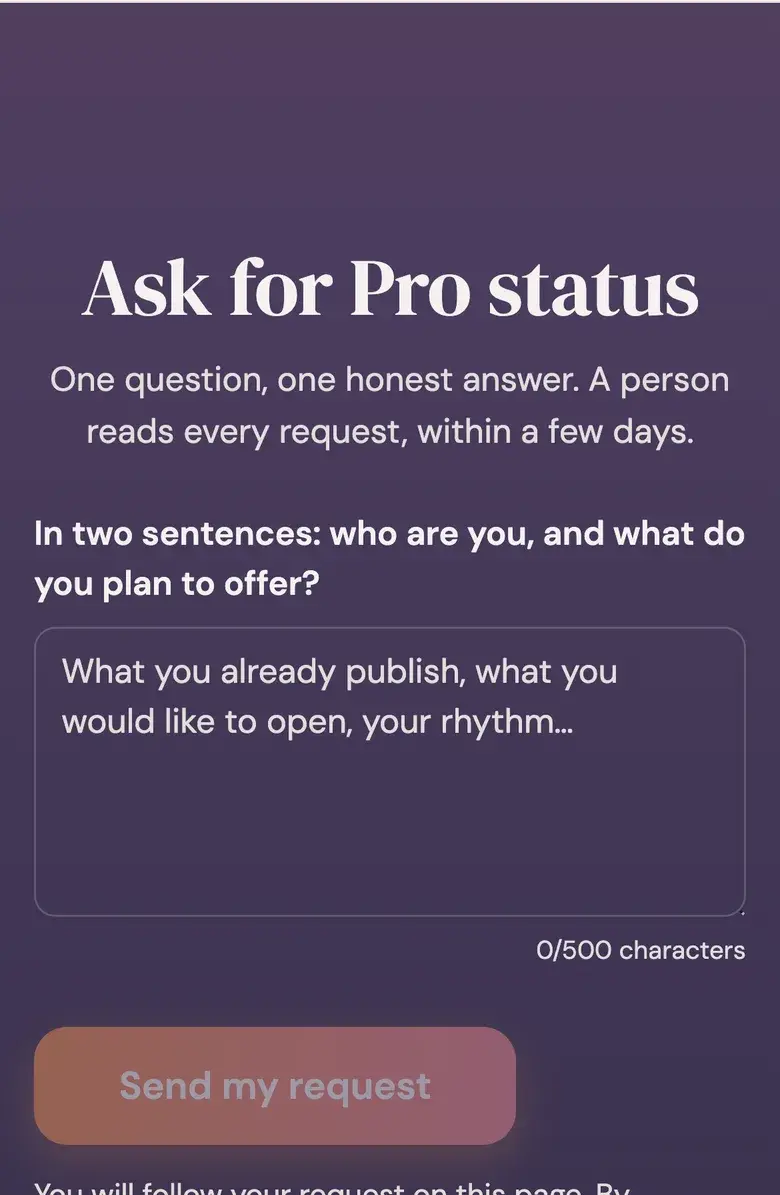
Everything starts on the Pro page. The form is two sentences: who you are, and what you would like to open. A person reads it, not an algorithm, and answers by email within a few days.
What we look at is your public profile: what you already publish, for how long, and how the community responds. An empty account does not tell us who is behind it, and we would rather say no than guess.
If the answer is no, you get a reason. A refusal can hold your next request for thirty days, and it says so. A request nobody has decided within thirty days lapses, and you can send a new one. If you take your own request back before we decide, you can ask again straight away.
Your Studio Pro
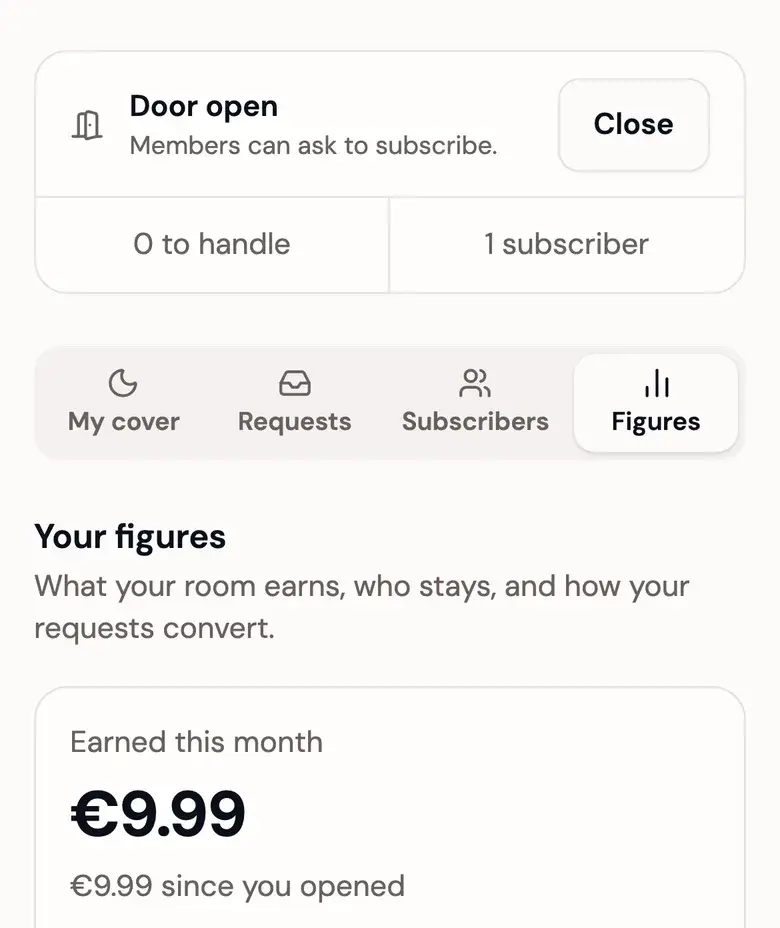
Once you are approved, a new place appears in your menu: your Studio Pro, at /studio. It has four faces, in the order your business runs.
- My cover is the shop window and the settings behind it: visual, promise, moods, price, payment links, and your offers of custom content.
- Requests is where people waiting for an answer, and payments waiting to be confirmed, pile up, with the custom content you have to create.
- Subscribers is who is inside right now.
- Figures is what all of it adds up to.
Above the four, a status bar carries your door, how many people are waiting on you, and how many are inside. The door can be opened or closed from any face.
Set up your cover
Your cover is the public, indexable page a visitor lands on before they decide. It is safe for work, always, because search engines read it. What is behind the door is another matter, and no page outside the backroom ever describes it.
Four things go on it:
- The promise. Ninety characters saying what someone gets by coming in. It cannot contain a link, and you cannot leave it empty once your door is open.
- The moods. Up to five words from a fixed list, shown with their icons. They say what your backroom feels like without describing anything. They are optional.
- The price. Per month, between 4.99 and 49.99 in your currency. Your currency was set from your country when you were approved, and you can change it in the same place as your price. Changing either only affects new subscriptions: nobody already inside is caught by a change.
- The visual. Optional. Without one, your cover gets the dusk gradient, which is a real design and not a placeholder.
Add a payment link
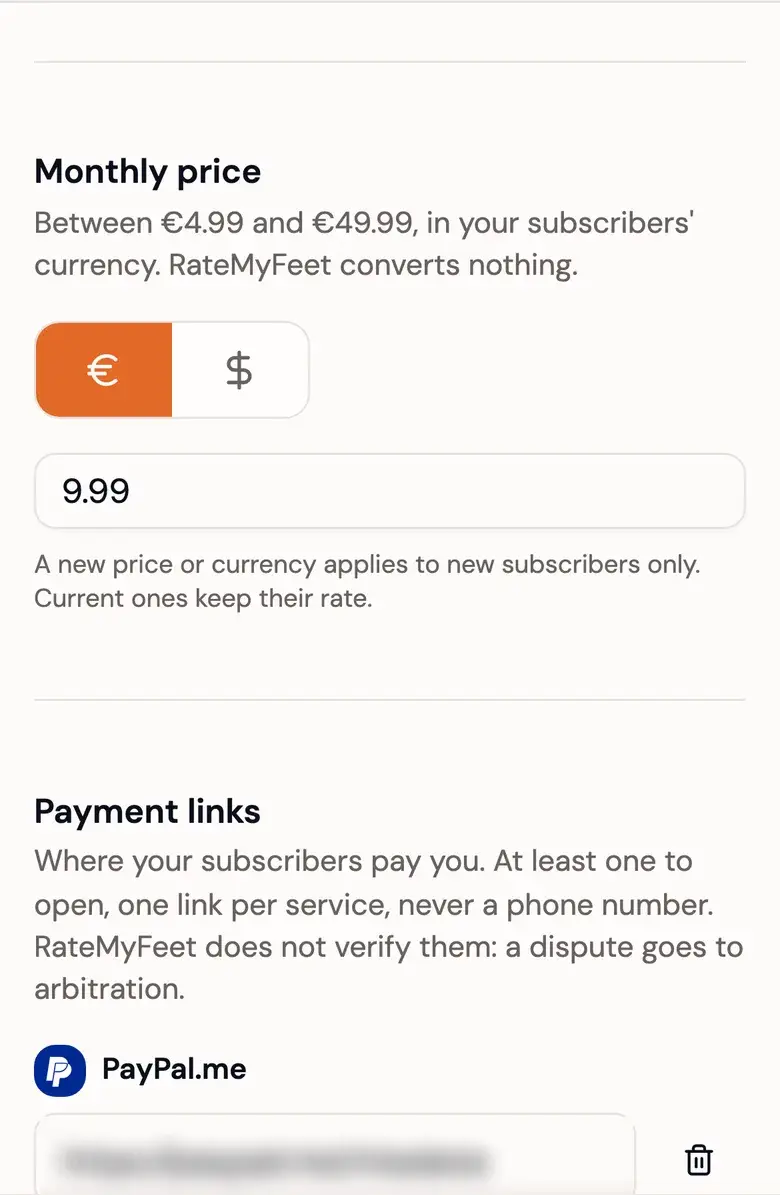
You need at least one. Ten services are named in the form, plus a free link field for anything else.
The rule is simple: the link has to be public, https, and pseudonymous. Anything that gives away your phone number is refused, because a payment link is shown to strangers. If a service only identifies you by your number, it is not one you should use here.
Open your door
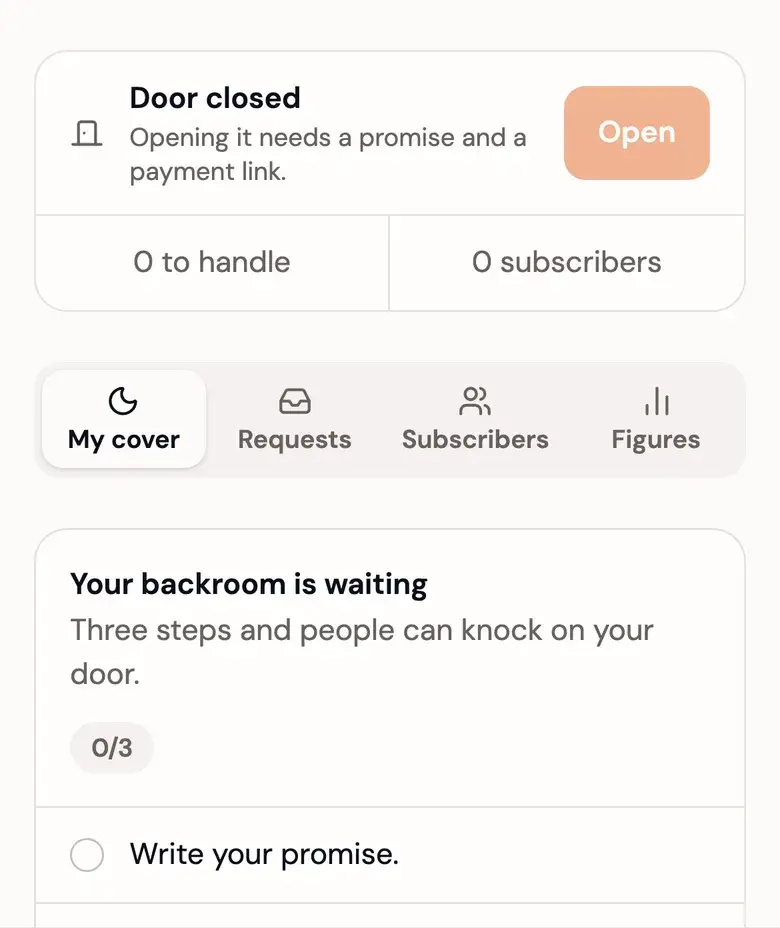
The door is the line between your cover and your backroom. Opening it means you are taking requests.
It opens as soon as you have a promise and one payment link. While it is open, neither can be removed. A visual is not required, and the three-step checklist on your Studio Pro's first face ticks off as you go.
Closing the door later does not send anyone away:
- The requests that were waiting, and the acceptances nobody has paid, expire. Each of those people gets an email saying their request is closed and no payment was confirmed on it.
- Your offers can no longer be ordered, and the orders you have not delivered yet expire. The ones you already delivered keep their seven days to be paid.
- Everyone inside finishes the month they paid for, and renewals carry on.
- Your content and your settings stay exactly as they are.
Answer requests
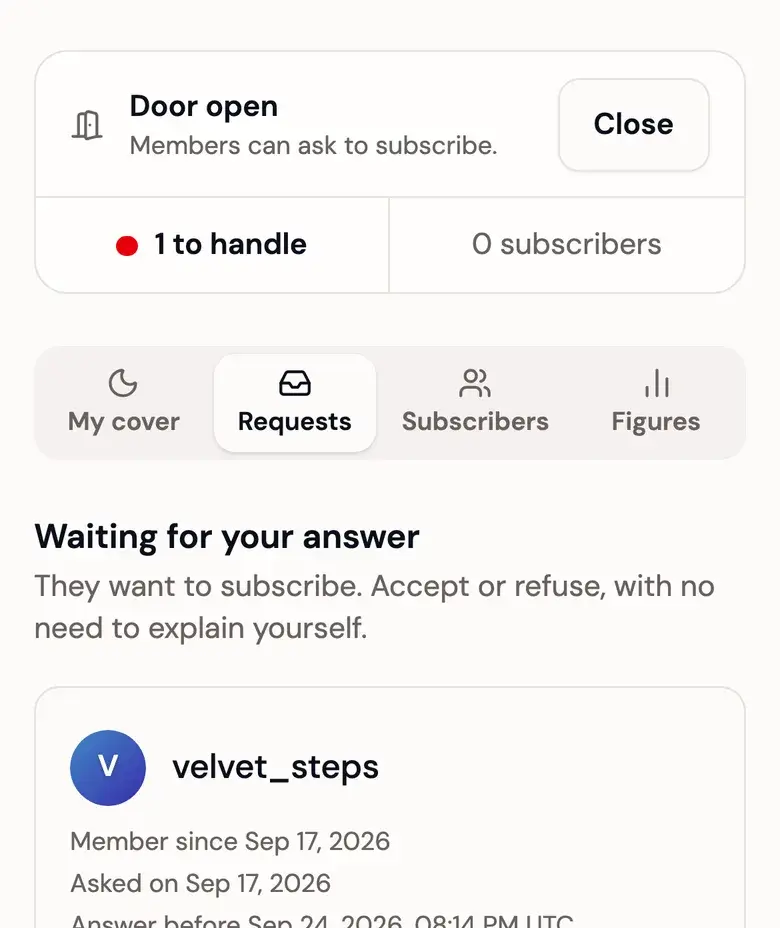
A request lands on your Requests face and in your email. It shows who is asking: their username, their public avatar, and how long their account has existed. You have seven days to answer. Past that the request expires on its own, and the person is told nothing was charged.
Two piles are always on that face:
- Requests waiting for a yes or a no. Saying yes mints a reference and sends the person your payment links. Saying no is neutral: no reason is sent, and the person cannot ask you again for thirty days.
- Declared payments waiting for your answer. Someone has said they paid you. Your two answers are "I received it" and "Nothing received".
Custom content adds two more, shown only when they hold something: To create, the orders waiting for you to deliver, and Waiting for payment, the ones you delivered.
A month you accepted and nobody has paid does not sit in your piles. That is the other person's move, not a decision you have to make.
Confirm a payment
This is the part worth reading twice.
When you accept a request, RateMyFeet mints a reference: RMF- followed by four characters. The person is asked to write it on their transfer so you can match the money to the right request and the right month.
The reference is a label, never a proof. Nothing in the product treats a matching reference as a confirmation, and nothing refuses a payment for carrying the wrong one. You confirm because you saw the money land in your account. That is the only reason.
Confirming is what opens the access. It and the month it pays for are a single gesture: there is no state where you have been paid and the door has not opened.
If nothing arrived, answer "Nothing received". The request goes back to the person with a fresh deadline to pay, and they are told. If you answer "Nothing received" a second time on the same payment, the case goes to RateMyFeet instead, and we decide it. You can still confirm the payment yourself right up to the moment we do.
A declared payment you never answer goes to RateMyFeet after a week:
Day 0
The payment is declared, you are emailed
Day 3
A reminder
Day 6
A last warning
Day 7
The case goes to RateMyFeet
When your silence sends a case to us, we open the access on the strength of the declaration, unless the proof says otherwise. If that happens and the money never reached you, you can contest the decision by writing to contact@ratemyfeet.io. Answering is always better than letting the week run.
Your subscribers, and your figures
The Subscribers face lists who is inside and when their month ends, closest first. That is all it lists. No amount, no history, no renewal intention: your subscribers keep their discretion even in front of you.
The Figures face answers four questions, on your calendar month, in your timezone:
- What your backroom earned this month, and since it opened.
- What your custom content brought in, this month and since your first offer.
- Who came in, and who renewed.
- What your last thirty days of requests converted to.
One thing to hold on to: the amounts are the months and the custom content you confirmed receiving. They are neither a bank statement nor a proof of payment. RateMyFeet never sees your account, so what you read there is the sum of your own confirmations and nothing else.
Stories, comments and hearts
A story is a photo or a short video shown in your backroom for twenty-four hours. After that, or as soon as you delete it, nobody sees it any more, you included. The file is kept thirty days longer, so that an inspection made in that window can still see it. You are told how many people viewed a story, never who.
A comment is what a subscriber writes under one of your pieces. The other subscribers read it under an alias, a name like "Subscriber 4821" drawn for your backroom alone. You read it under the username. You can delete any comment in your backroom. A comment stays where it is when its author's month ends; they simply can no longer write.
A heart is one person approving a piece or a comment. It is a count and nothing more: nobody, you included, is told who gave it, and it feeds no public ranking.
What RateMyFeet can see, and what it removes
No automated filter screens what you publish, in public or in your backroom. Moderation on RateMyFeet is done by a person.
That person can look at anything on the platform, your backroom included, even what only your subscribers see. We do it to settle a dispute, or when the law requires it. Anyone can report a piece or a profile in one tap.
What a backroom may hold is set out in the terms and in the content rules on the help page. In short: it may be explicit, but the person in it has to be you or a consenting adult, you must hold every right to it, and it must be legal where you and your subscribers live. Your subscribers, for their part, may not copy, record or redistribute what they see.
Illegal content, and above all anything involving a minor, is removed, the account behind it is closed, the evidence is kept and the authorities are informed.
A backroom that breaks the rules can be suspended. A suspension ends every access at once, closes the door and takes the cover down. Lifting it brings none of that back.
Stepping away
There are several gestures, and they do different things.
Closing your door refuses new people and new orders. Everyone inside finishes their month and renewals carry on. You reopen whenever you want, and nothing was lost.
Leaving Pro status closes your door in the same move, stops renewals, closes the custom content you delivered and nobody paid, and lets the months already paid run to their end. Your subscribers are emailed that you have stepped away. You can ask for Pro status again later, and your Founder advantage stays yours.
Pausing your account takes you off the public side, but your subscriptions keep running: your backroom stays readable to the people who paid until their month ends. The custom content you delivered and nobody paid closes.
Deleting your account waits until the last paid access has ended, its three days of grace included.
One more case blocks both leaving Pro status and deleting your account: a payment someone declared to you that you have not answered yet. For leaving, the block lasts a week at most, until the case goes to us. For deleting, it lasts until the case is settled, thirty-seven days at most, because deleting your account would take with it the history the case is judged on.
Before you open
- Read the terms. They are what binds you, and they win if this guide and they ever disagree.
- Your cover is indexed. What is behind your door is not, and never appears in a ranking or a search engine.
- The money is yours in full, and so is declaring it. RateMyFeet takes no commission from a Founder and never handles the payment, which means your income and your taxes are your own business.
The whole subscriber side of the path is in Subscribe to a backroom, and it is worth reading once: it is what your subscribers are going through while they wait on you.
Ready to open your backroom?
Free, two sentences, and a person answers within a few days.